December 2025
AI CAD in Fusion 360
A benchmark testing how well today's LLMs can turn a dimensioned drawing into a real parametric part — streaming Gemini's output through the Fusion 360 Python API and auto-grading the results.
One of the areas where I've found LLMs lag significantly — at least at the start of 2026 — is their utility for direct control of engineering software. The goal of this project was to get an initial assessment of the current state of an LLM's ability to create parts in 3D parametric modeling software. Given the improving multimodality of the models, I decided to specifically benchmark dimensioned drawing → STEP file creation.
I selected Fusion 360 as the CAD environment of choice because it has a well-documented Python API — meaning LLMs likely have enough knowledge in their training data to be useful out of the box.
My initial testing with models from OpenAI, Google, and Anthropic showed that most are essentially unusable for this task. Gemini 2.5 Pro was genuinely the only one worth testing. Even so, none were able to take a 2D drawing of a 3D object and reproduce it with any amount of success. So I narrowed the scope: I benchmark Gemini on 2D drawings of 2D shapes and have it extrude each result to a constant thickness of 10 mm.
To complete this project I had to create several subcomponents:
- Fusion 360 add-in — lets me stream Fusion 360 Python API calls directly into the app.
- Benchmark script — runs the benchmark with the given drawing images and pipes the LLM outputs to Fusion.
- Autograder — once the benchmark is run, gives me an automated way of assessing the results.
Fusion 360 Add-in
I did not want to constantly copy and paste between an LLM and the Fusion
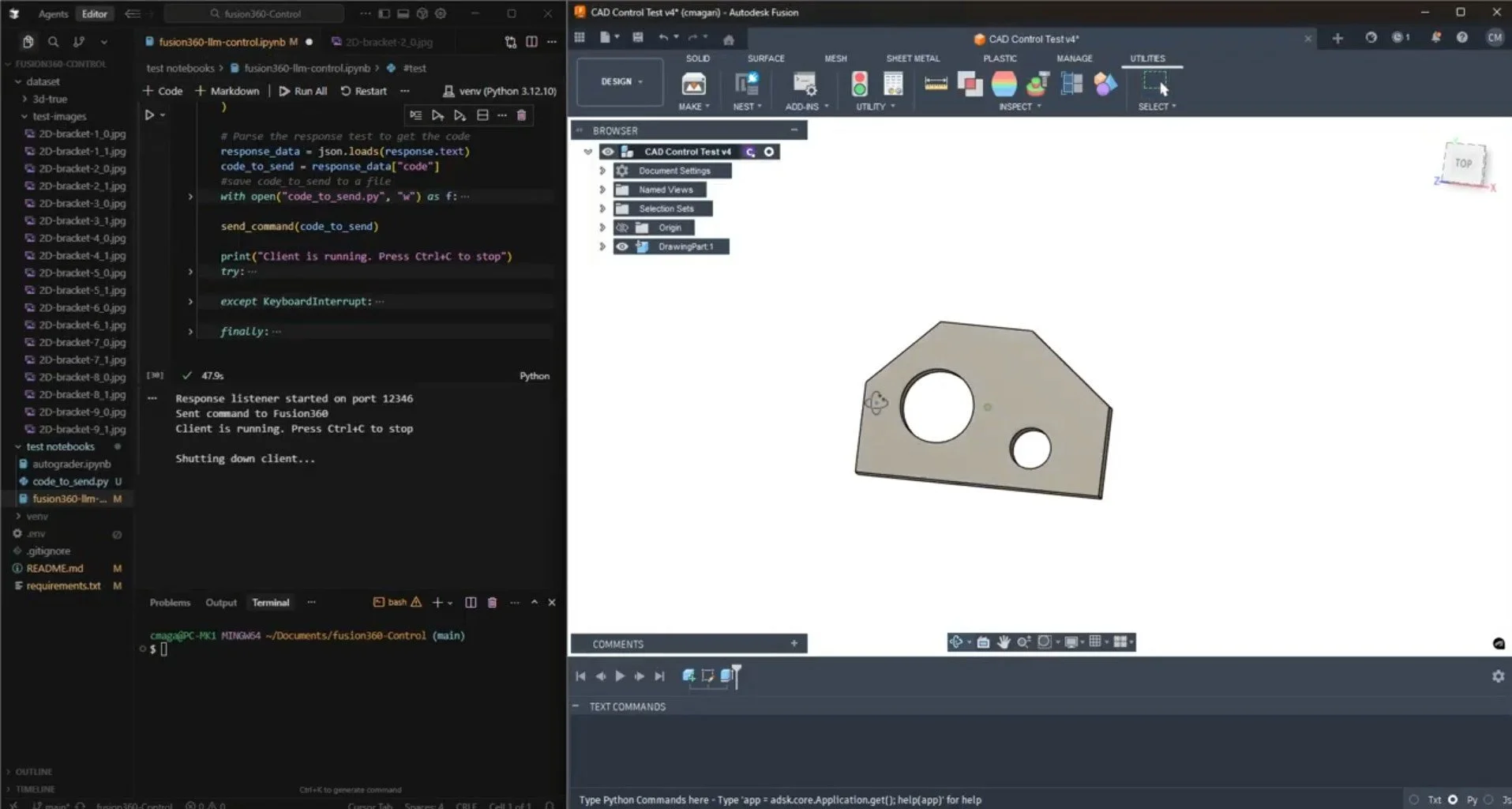
console, so I built a custom Fusion 360 add-in that lets me stream in external
code. Essentially, the add-in opens a socket and attempts to execute the
Fusion 360 Python API calls that are sent to it, then returns either an OK
message or the Fusion-generated error from the code.
Executing unreviewed LLM-generated Python code continuously on your system is potentially dangerous for several obvious reasons.
Broadly, I may continue to build out this add-in, which would let me (or an AI) write and use arbitrary macros for Fusion 360.
Autograder
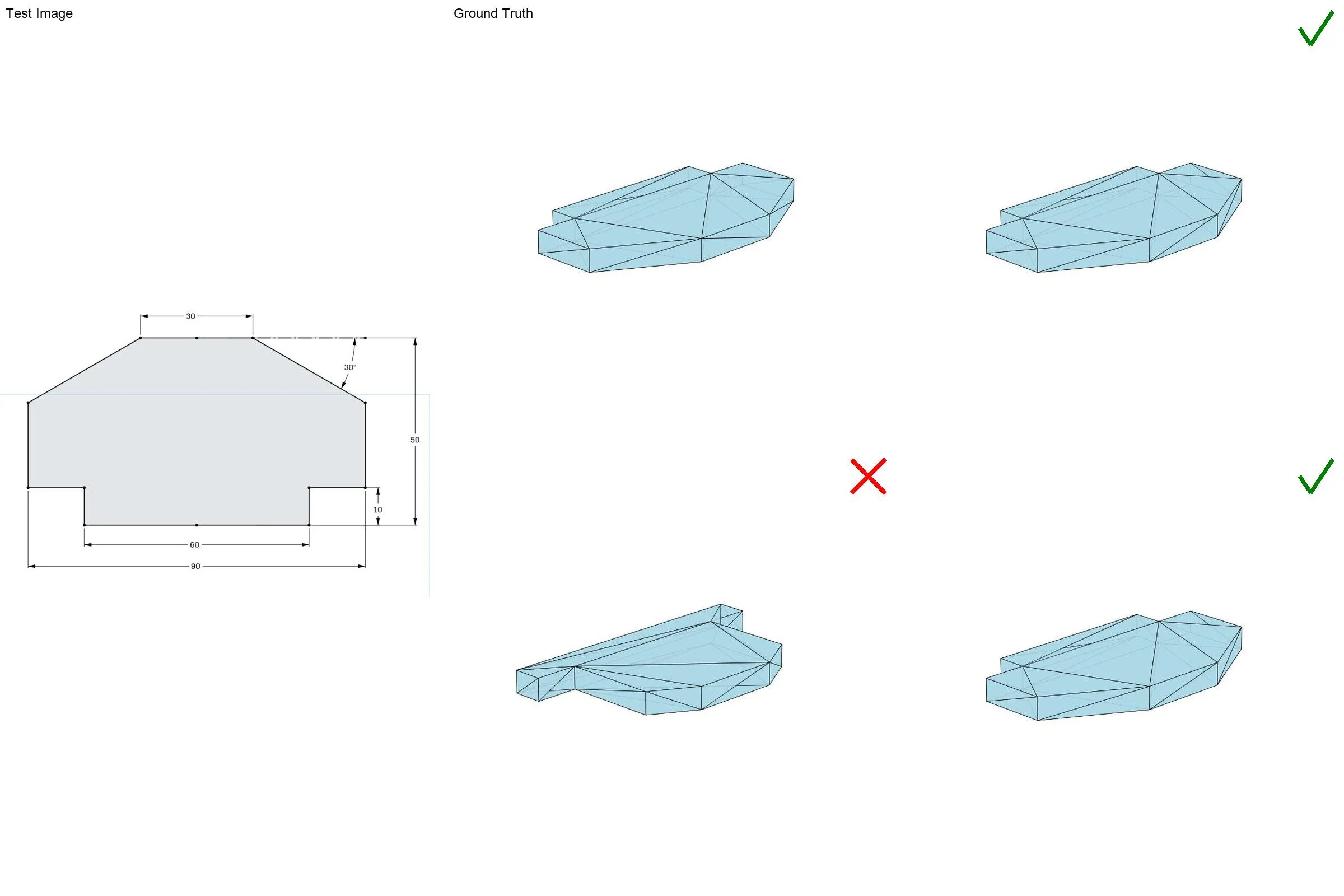
The autograder uses CADQuery in Python to compare the ground-truth model I generated against each of three trial outputs per test image. It finds the outer bounding box of each shape and its volume, and I give a 1% tolerance on each relative to the ground truth for the pass criteria. The script also renders an image of each result and collages them together with the test drawing. An example is shown below.