August 2020
Covid Monitor
A COVID-19 employee-screening system I built solo at Creare in 2020 — RFID badge-tap consoles backed by a custom MERN web app that ran the surveys and cleared people to safely return to work.
On this page
Overview
As suddenly as the COVID-19 pandemic hit, many companies — with a lack of true guidance from federal, state, or local government — were tasked with determining how to get back to work safely. As part of my employment during the summer of 2020, I solely developed and implemented a solution for monitoring and surveying employees. I completed this work on behalf of Creare, an engineering research and design firm in Hanover, New Hampshire.
Proof of Concept
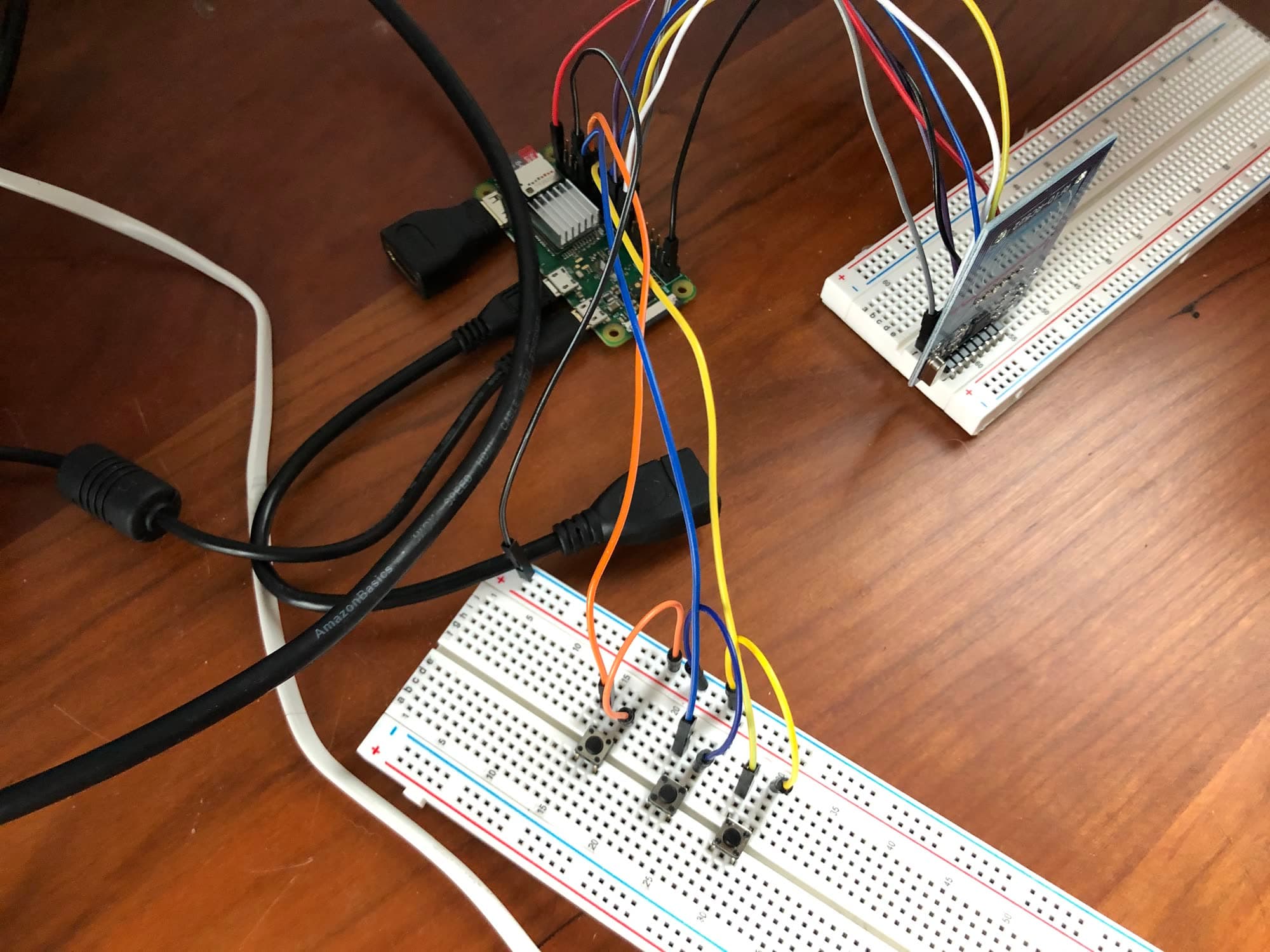
The idea, from the start, was to develop a console that can be placed at a given entrance where employees (and eventually guests) can take a survey and have the data stored centrally. Figure 1, below, displays the initial proof of concept. I hooked up a MIFARE RC522 RF IC card-reader module and three momentary switches to a Raspberry Pi Zero W running Raspbian. A Python script reads the switch inputs as the yes, no, and reset buttons for the survey that will eventually be paired with it; the card reader is used to verify the identity of an employee, as all are issued an RFID badge.
Production Console
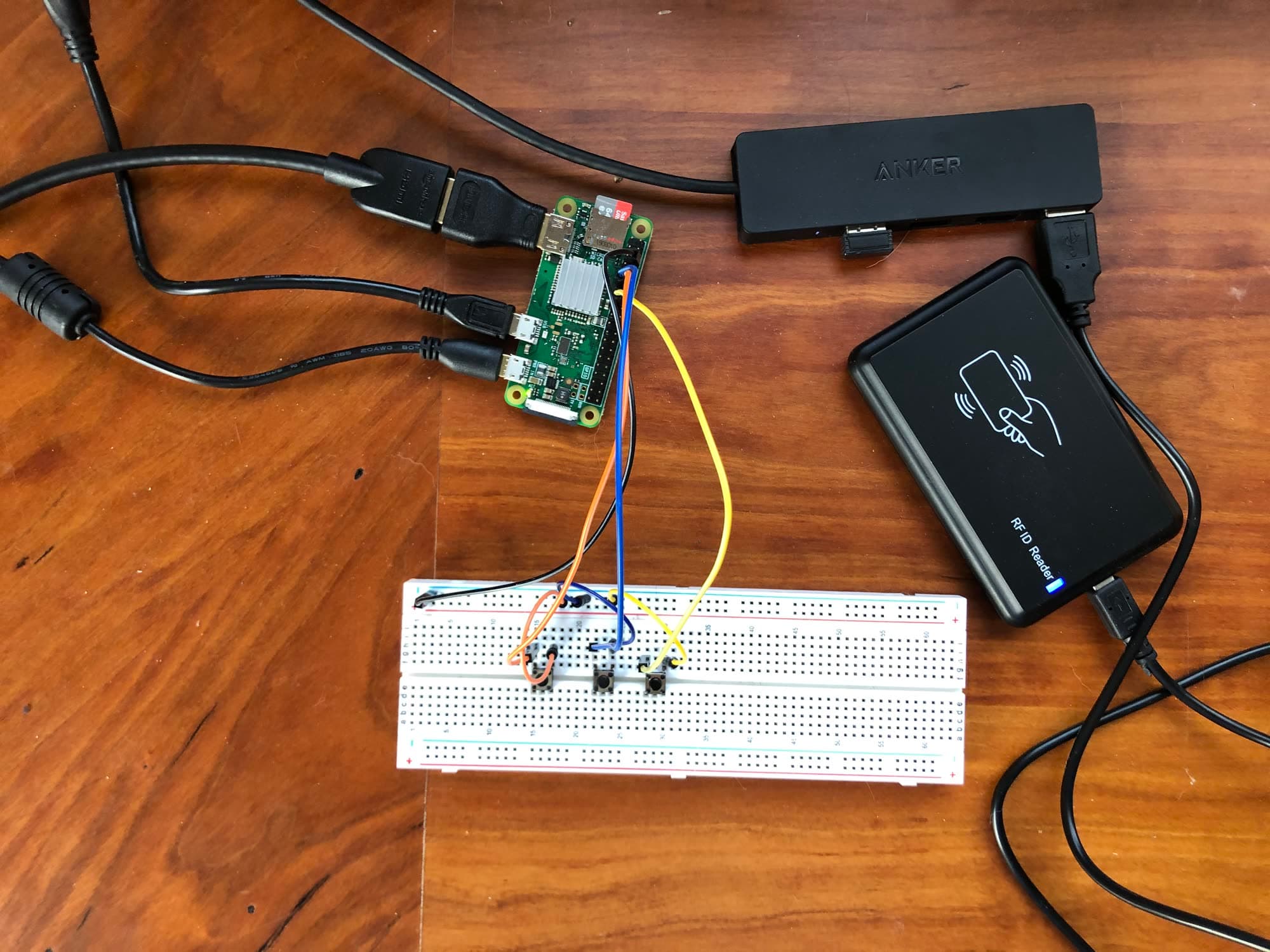
The cheap MIFARE scanner used previously was replaced by an (equally cheap) USB scanner, configured to simulate keyboard input of the card number it read. This card reader was particularly underpowered and struggled to read many cards, as well as virtually all key fobs. It was eventually replaced in a later iteration, but the USB reader can be seen in the figure below.
On the Pi, I created a Python Tkinter application connected to a Firebase Realtime Database. At the time, the questions being asked were changing regularly, so to allow for more flexibility I created a Google Sheet that could be edited by the proper people at Creare. One page held an employee table with names and card ID numbers. A second page held the questions (all numbered), along with the question number that should be asked next depending on whether "no" or "yes" was answered. Upon changes, the new data are pushed to Firebase. The console updates its data before starting a new survey, which allows for remote and immediate alteration of the survey questions and the employee list.
After a survey is completed, the answers, the name of the respondent, and the time are pushed to Firebase. The provided answers are used to determine a recommendation for the employee: either enter work and follow standard precautions, or work from home and contact HR.
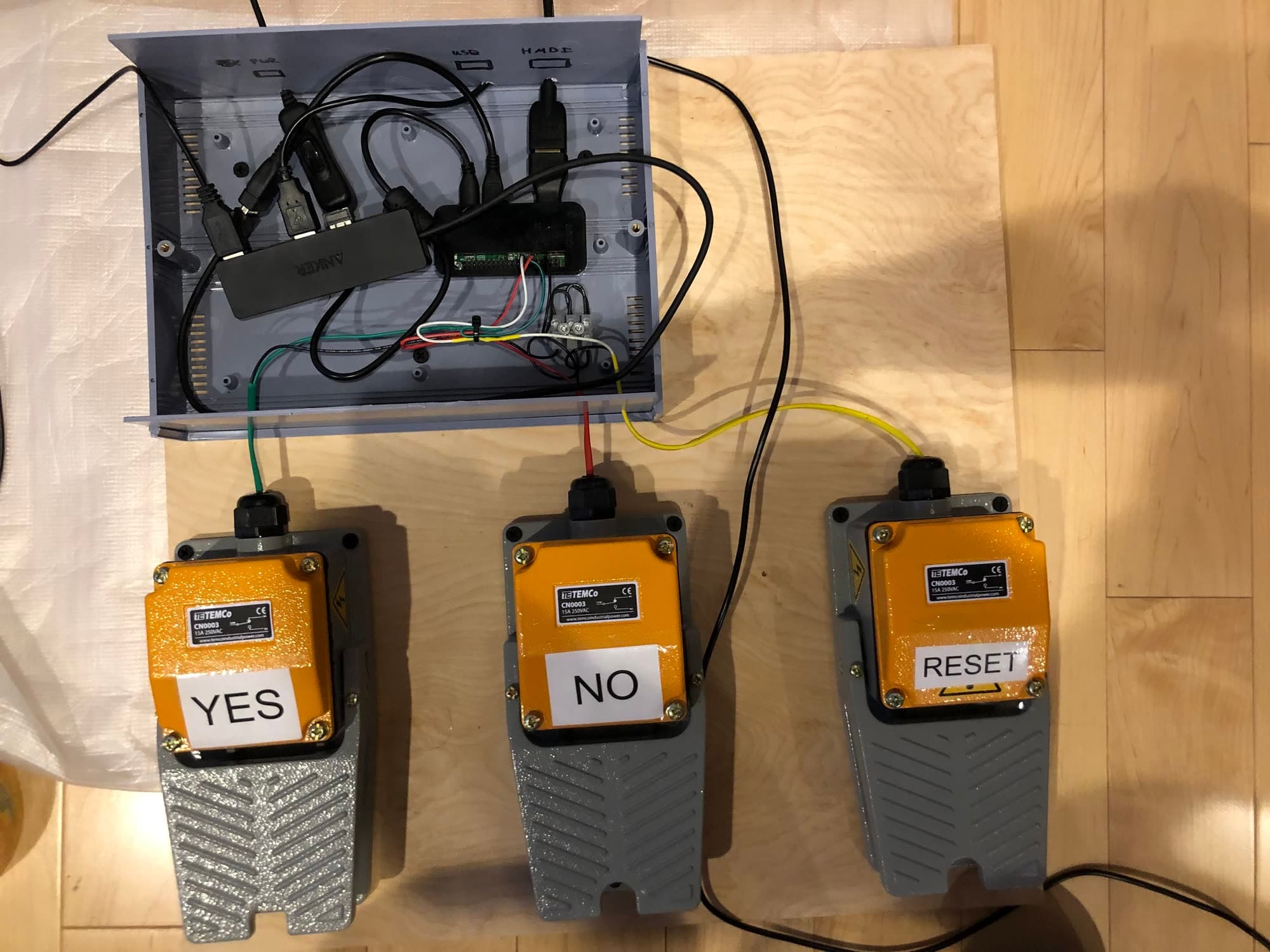
Foot-pedal switches are used to minimize the chance of viral particles spreading from contact with a common surface, such as a pen or a hand-operated button. Figure 3 shows the lower assembly, including the housing for the Pi and other electronics. The foot-pedal-and-console model has the added benefit of not requiring a manned station or regular disinfecting.
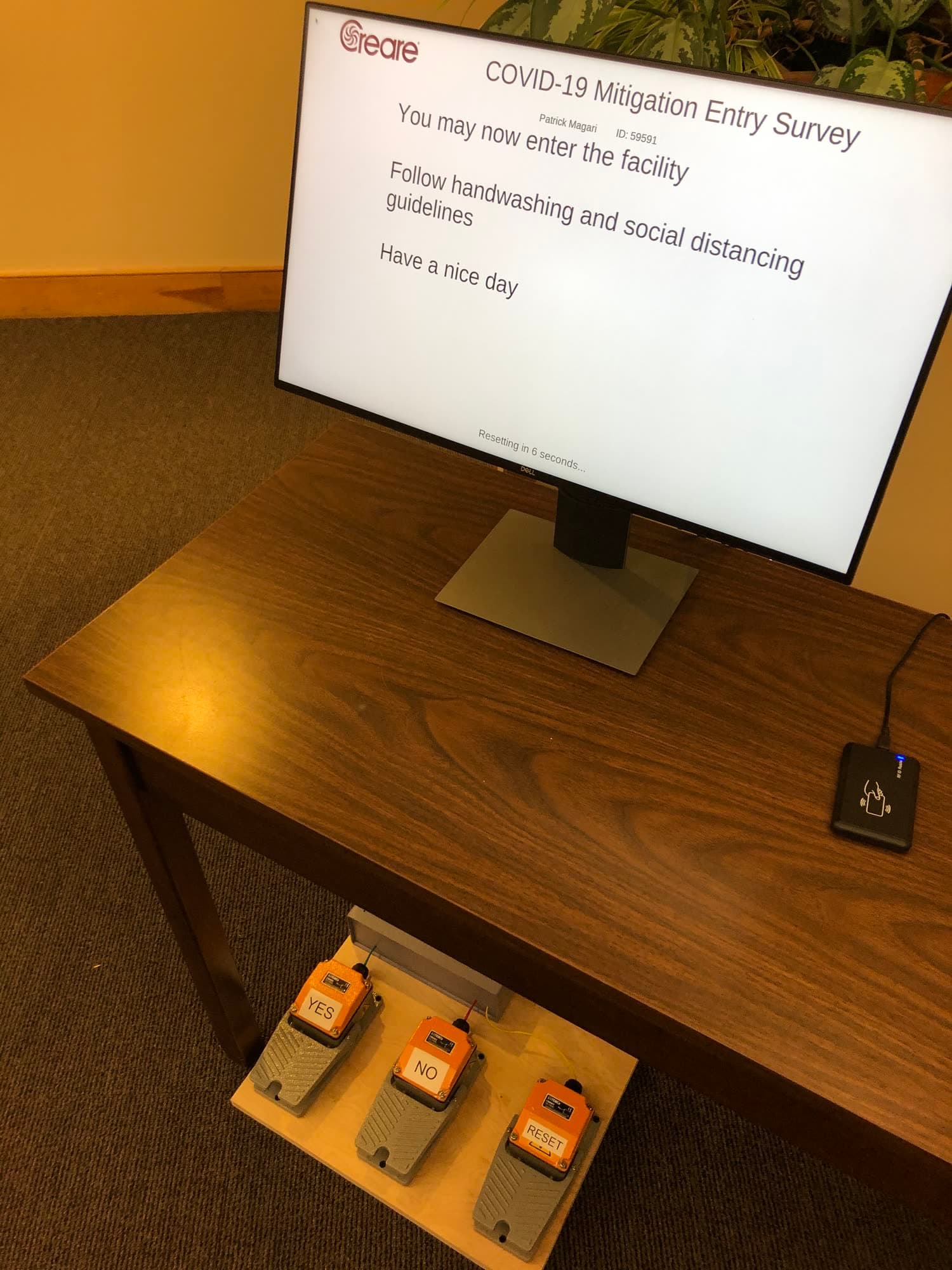
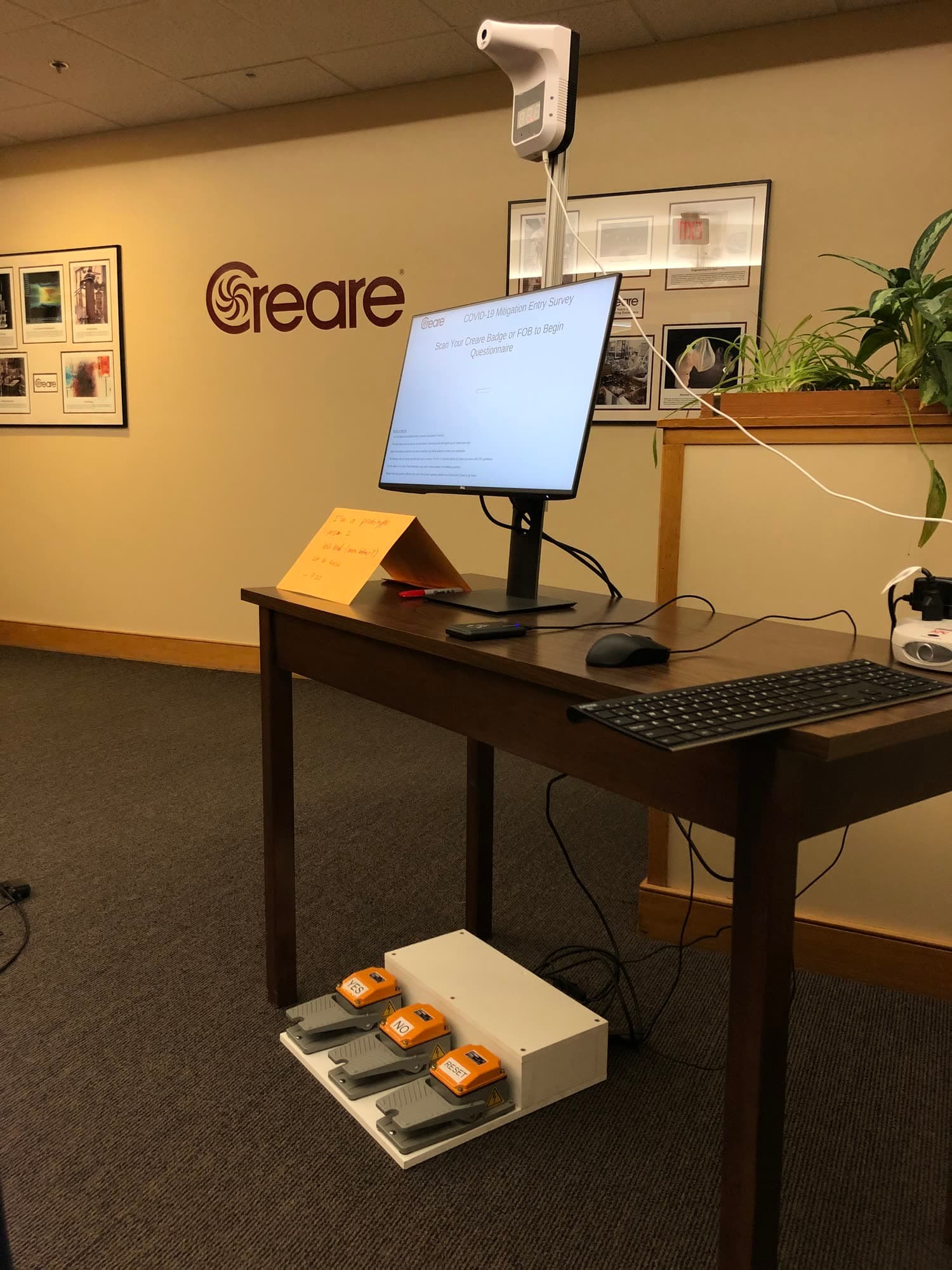
Note that above the monitor in Figure 5 is a remote IR thermometer. This lets employees and guests check their own temperature while using the console. The reading is not stored anywhere, so as not to violate any HIPAA regulations.
Web App Rewrite
This next version saw a number of improvements. The low-power USB scanner was swapped for a superior HID scanner wired directly to the Pi and read via a Python script I wrote. Furthermore, an entirely new application was built based on the initial Tkinter app discussed previously.
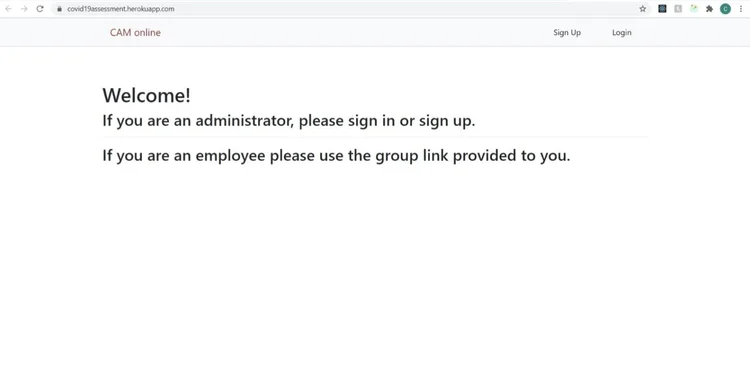
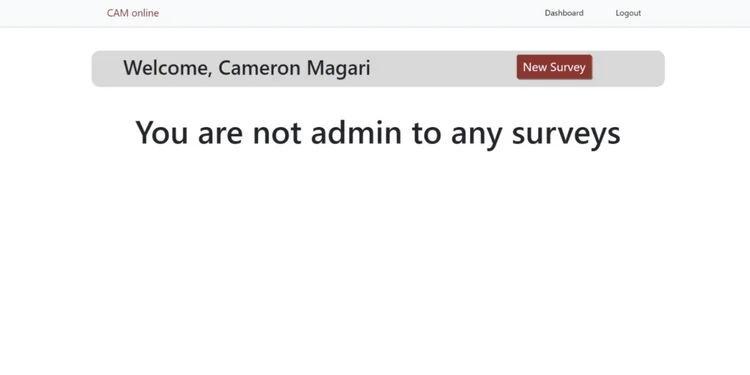
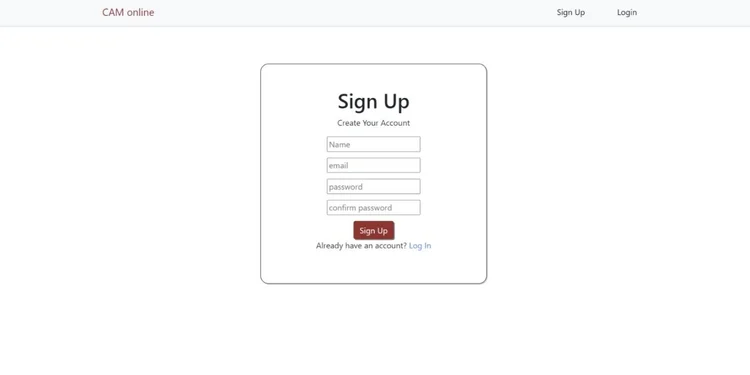
The new application was developed using a MERN (MongoDB, Express, React, Node.js) stack. You can better understand the flow of the site, from an administrator's perspective, by reviewing the following screen captures.
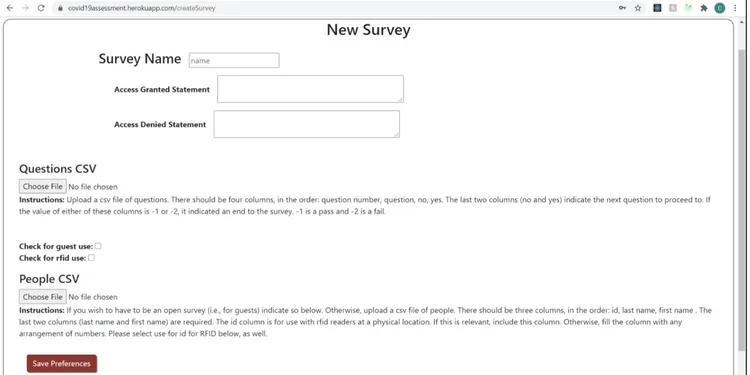
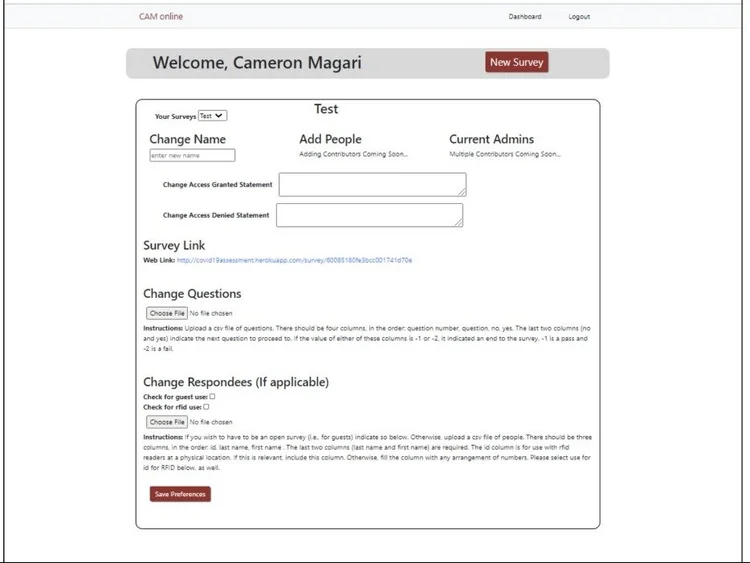
The ultimate goal of switching to the web app was to provide better flexibility
and expandability. Not only did it allow for easier off-site editing, but it
also offered the generation of multiple users and multiple surveys per user.
Thus, employees, guests, and the like can all have tailored questions asked.
Moreover, each survey generates a unique link so it can be taken online, giving
people the option to take the survey before they come to work. For those who
choose to take it when they arrive at Creare, each console loads the given link
followed by /console/<number>, where the number is unique to each console.
This way, when surveys are completed, not only are the question answers stored
in the MongoDB database, but meta-information — such as whether it was taken
online or at a console (and which one) — is recorded as well. I also wrote a few
Python scripts for internal use at Creare. For instance, I cross-checked survey
and RFID scan data from the building to verify that every employee who buzzed in
had taken the survey; if not, it is reported and they are asked to kindly
complete it.
In the many months following the COVID Monitor's first use, Creare continued to be content with its functionality. Even as the pandemic worsened, few employees contracted the virus, and there was little to no evidence of spread in the workplace. I am inclined to believe this was, in part, due to my efforts.